Case Study

Empowering Dynamic
Empowering Dynamic
Form Creation and
Reporting
About
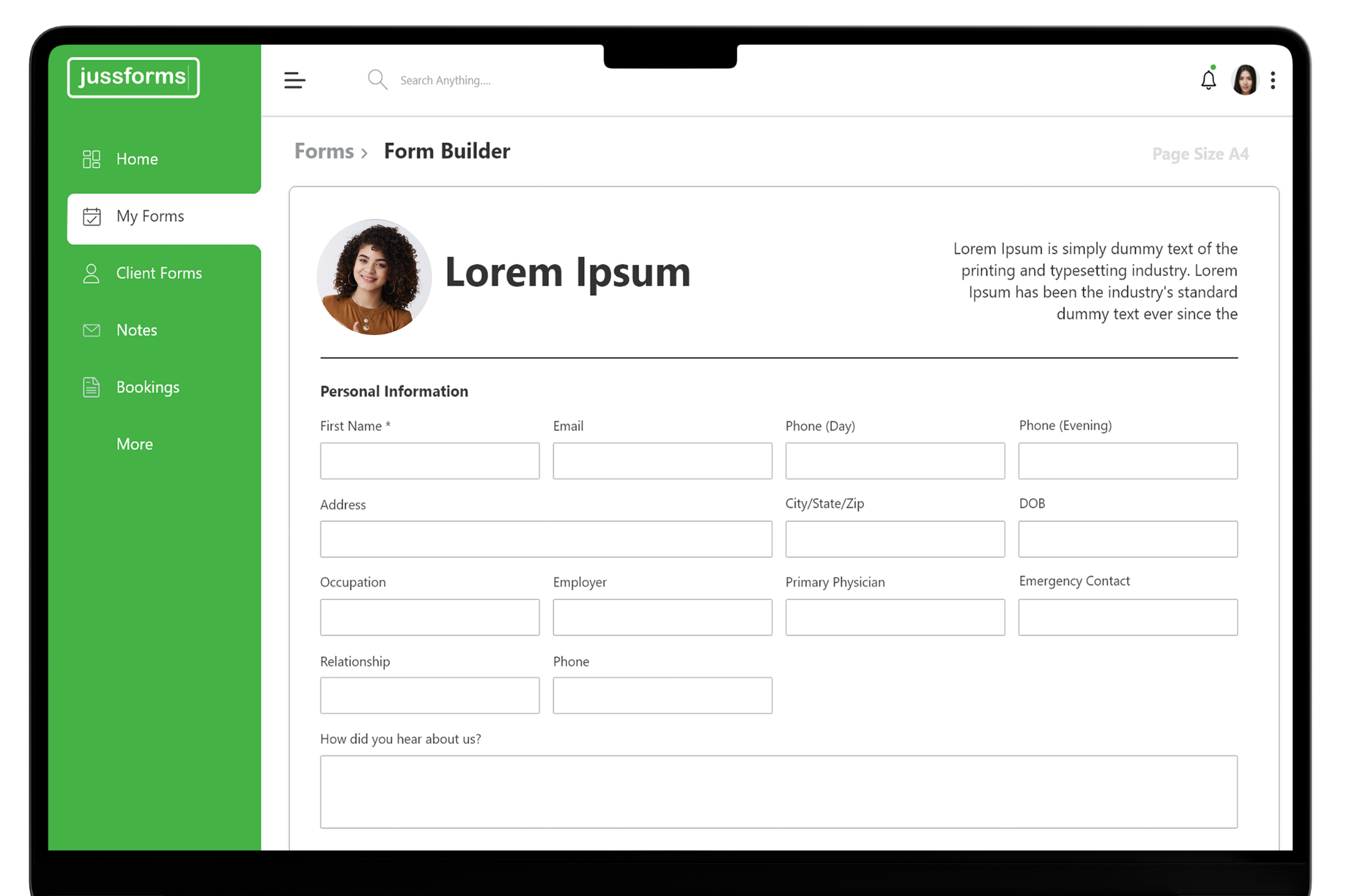
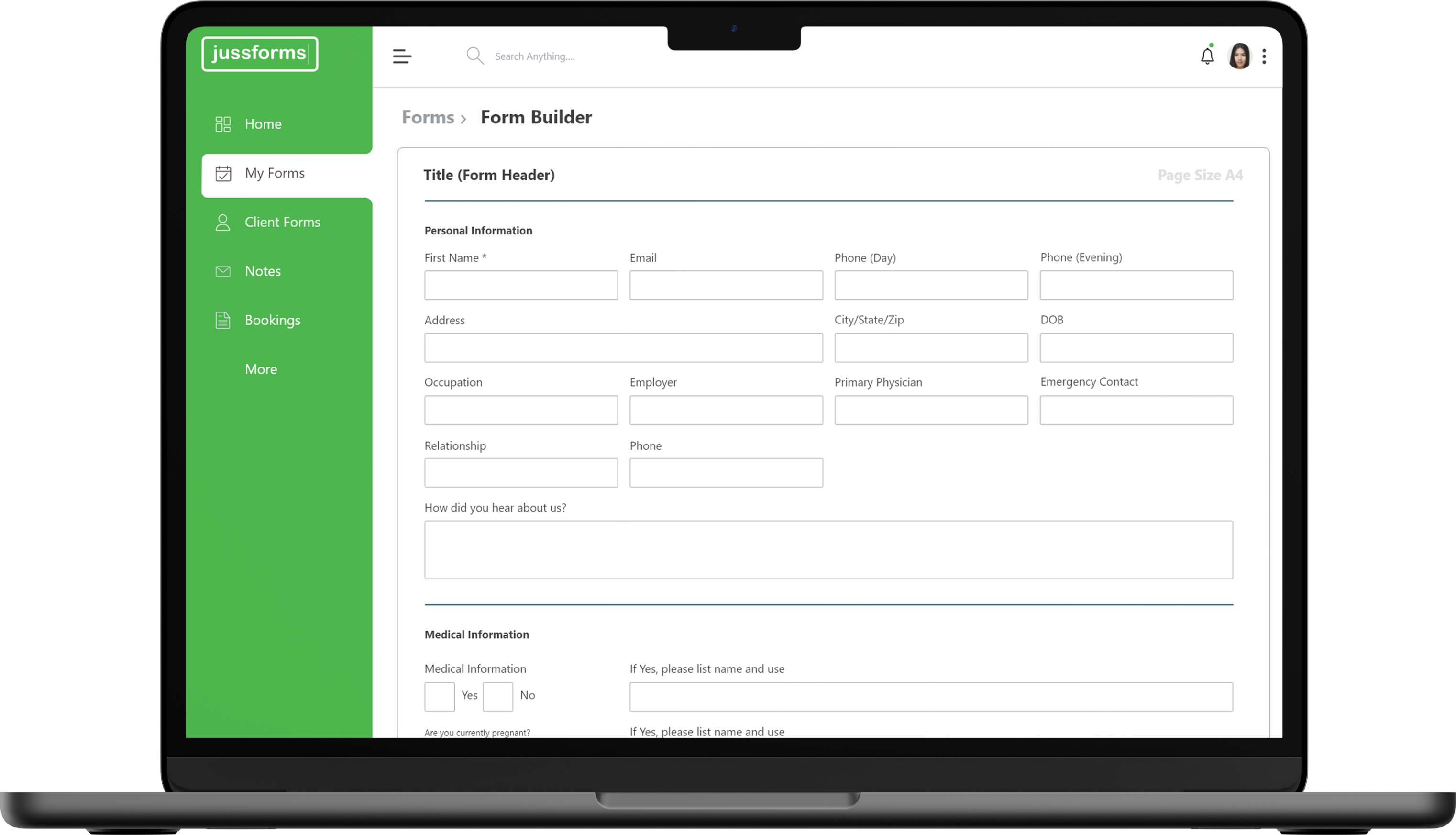
Jussform is a versatile platform designed to enable users to create, distribute, and manage dynamic forms seamlessly. Catering to organizations of all sizes, it facilitates real-time data collection and reporting, enhancing operational efficiency.

Design Process
01
Research
Discover
1 week
02
Userflow
Define
2 week
03
Wireframe
Designing
3 week
04
UI Design
Designing
4 week
Typography
& Colors
& Colors
Modern Font And
Bold Colors
SegoeUI
Heading
H1 32px
H2 28px
H3 24px
H4 20px
Body
Size 24px
+10 Style
#45B245
#000000
#FFFFFF
Dashboard
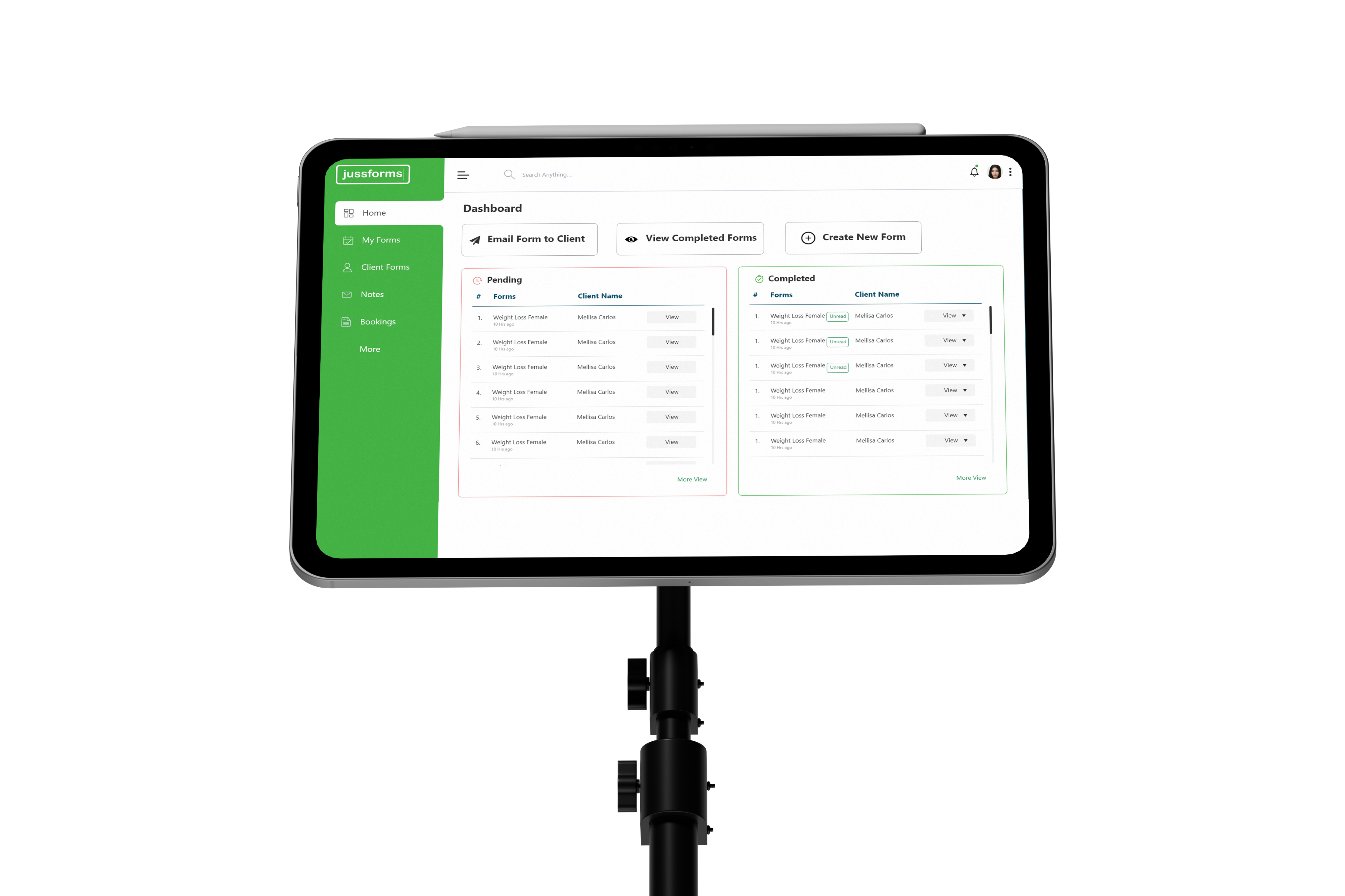
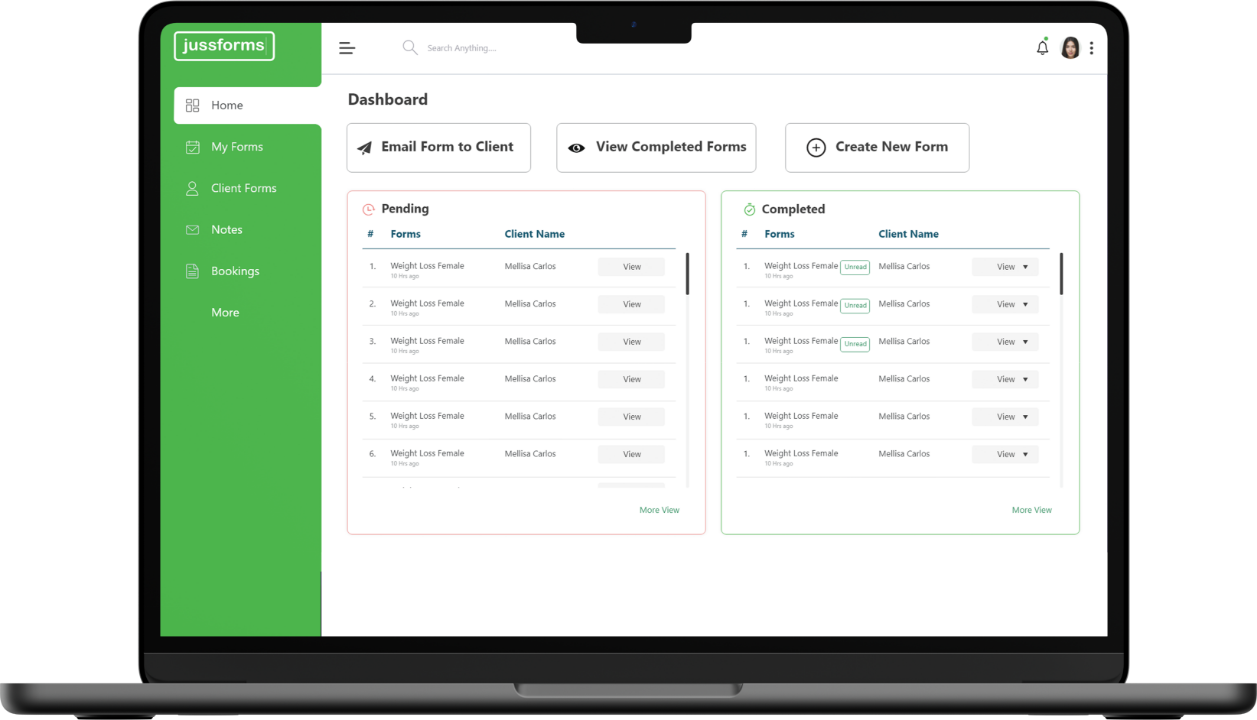
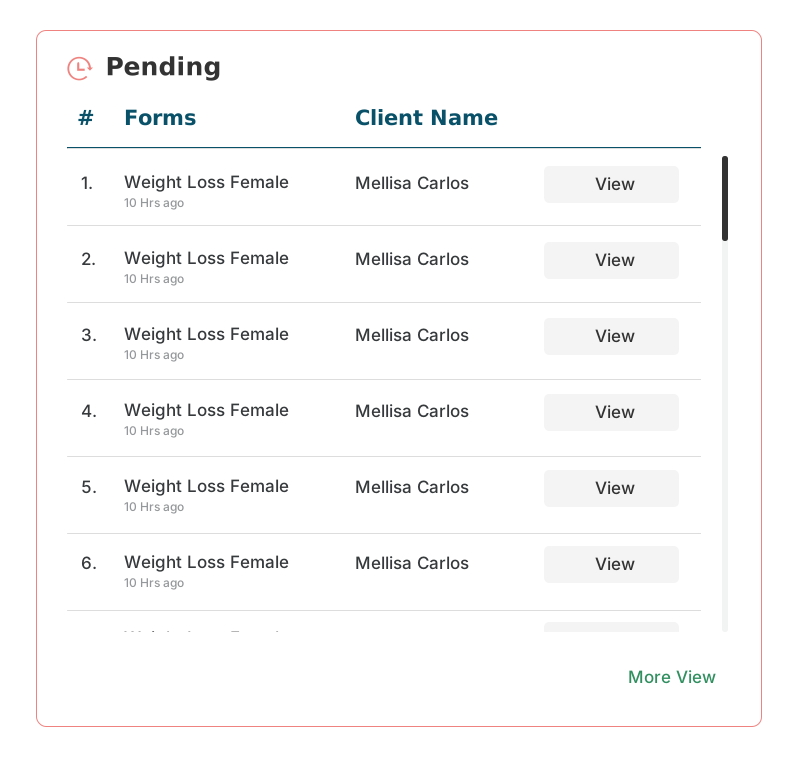
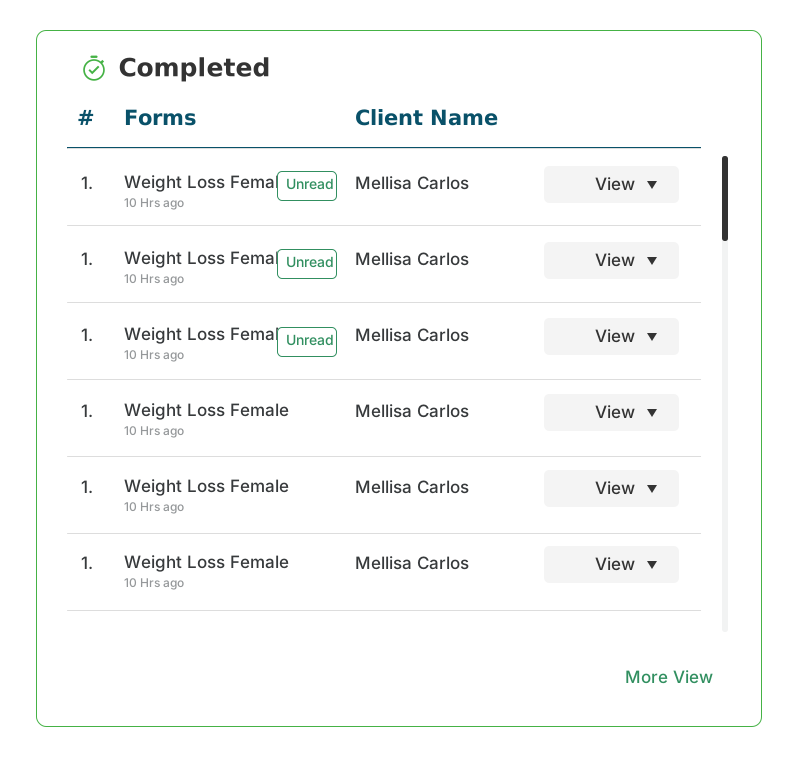
The dashboard provides a quick view of all form submissions, categorized into Testing and Applicant tables.
- Two Data Tables: One for internal (Testing) submissions and one for external (Applicants)
- Search & Filter: Allows users to easily find specific forms or submission statuses.
- Status Tags: Color-coded labels like Approved, Pending, and Rejected for quick scanning.
- Action Menu: Each row includes options like View, Edit, or Download.
My Forms
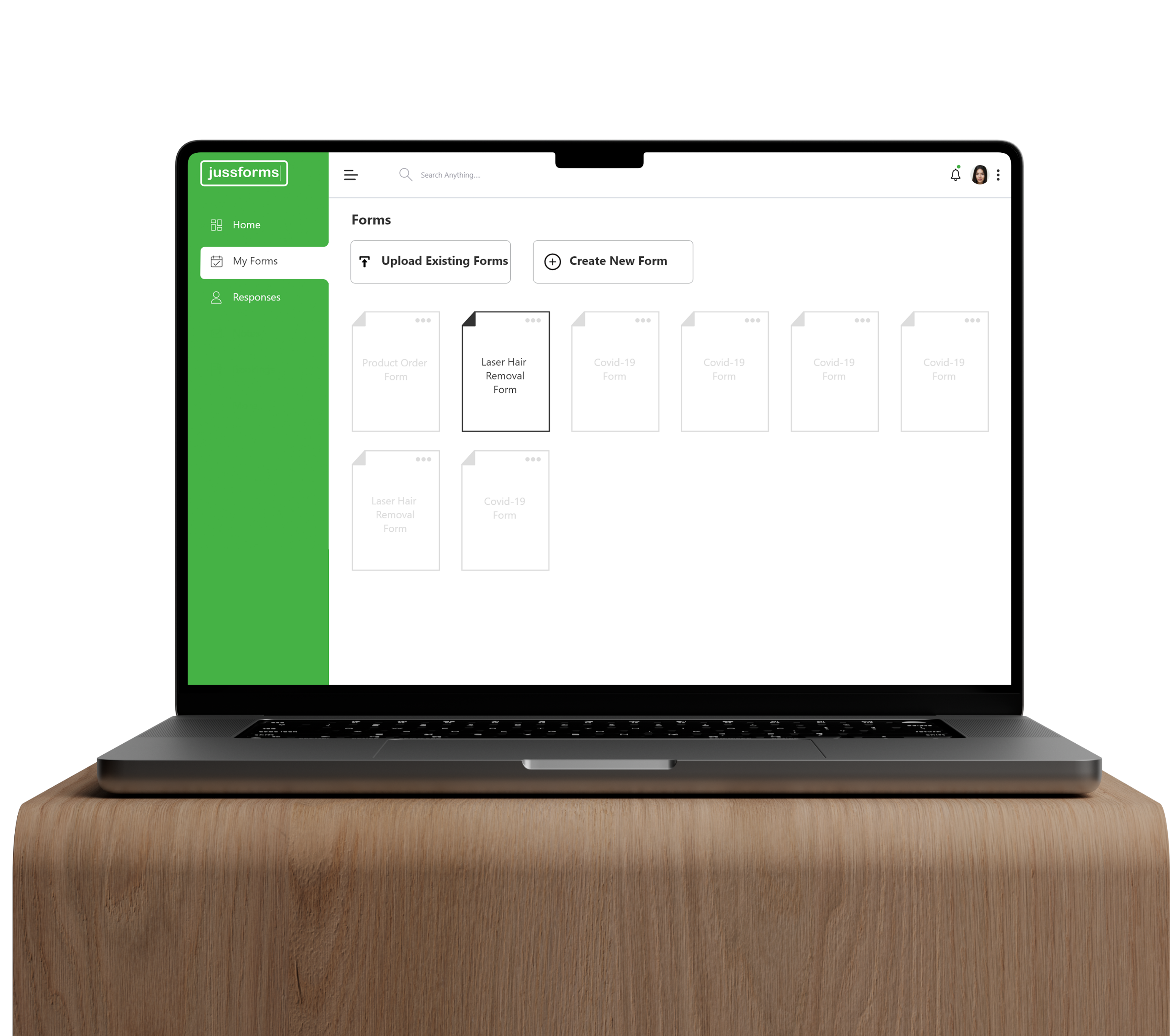
Centralized Form Management
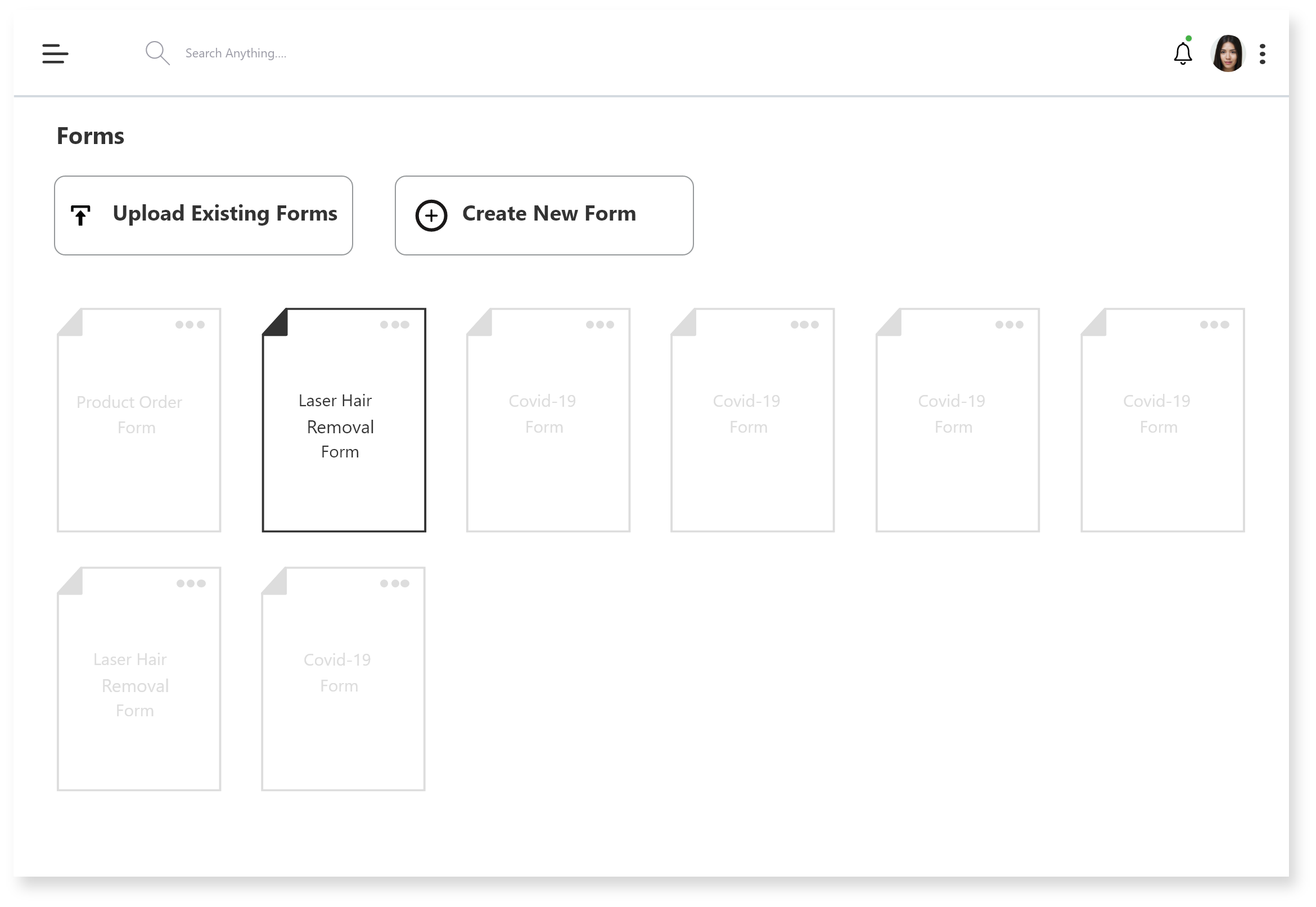
This screen allows users to view, upload, and create forms in one place
- Upload Existing Forms: Supports importing pre-made forms for quick setup.
- Create New Form: Users can build a custom form from scratch.
- Visual Form Cards: Each form is displayed as a card for easy scanning and access.
- Consistent Layout: Clean grid design ensures ease of navigation and clarity.